New player
Beginner guide
The first five matches in order, from reading the painting to freezing without moving.
A round-by-round guide to blending into the painting, reading the seeker, and using troll items without giving away your spot.
Unofficial fan guide · Latest site update
Hide In Pixels is not a maze, a chase game, or a horror experience with a long story. It is a two-player contest built on one skill: making a block character look like it belongs inside a pixel-art painting. Every round gives you a fresh painting, a fixed palette, and a short window to copy the picture onto yourself. When the paint phase ends, you freeze. The other player becomes the seeker and walks through the same scene, looking for the one shape that does not match.
That structure is simple, but it creates a specific kind of pressure. You are not asked to be creative. You are asked to be accurate under a timer while another person is about to inspect your work. The players who win consistently are not the ones who paint the most elaborate character. They are the ones who copy the large shapes first, fix the edges second, and stop touching the painting before the clock forces them to.
The game supports up to 20 players in a server, but the core duel is one against one. A match is first to two round wins. That means a single mistake does not end the match, but a repeated mistake does. If you lose the first round because your outline was too dark, the second round is the time to simplify your pattern, not to add more detail.
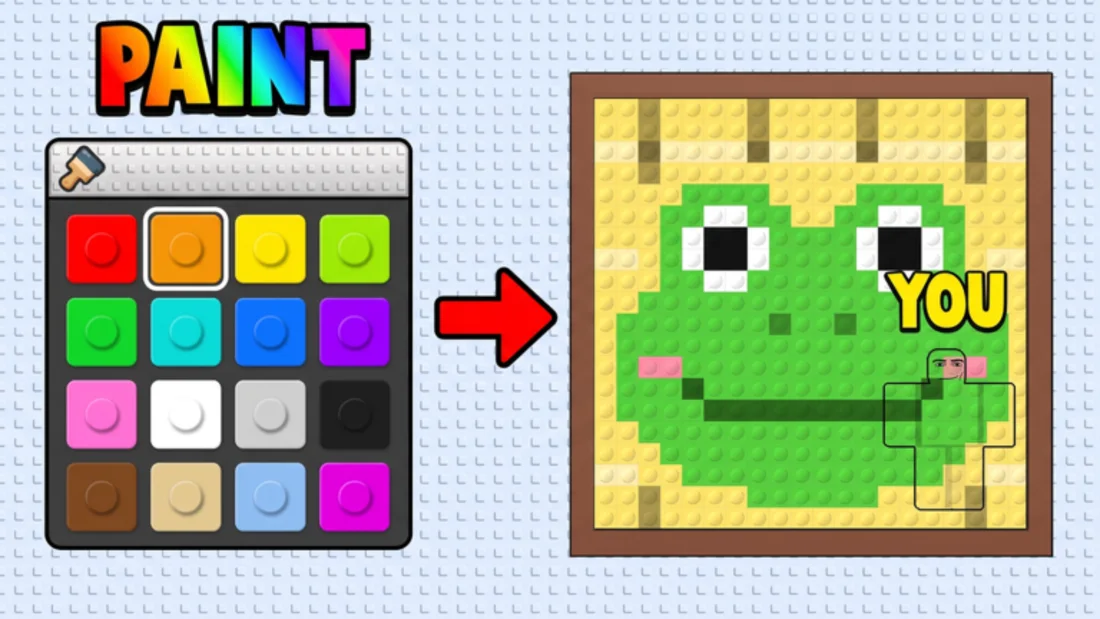
Every duel follows the same rhythm: read the painting, paint the big blocks, place yourself, and freeze. The names are not official, but the order is what matters. Players who rush the first step spend the rest of the round correcting colors they did not need. Players who skip the third step can paint a perfect character and still lose because they stand in the one part of the painting where a straight edge looks wrong.
The paint phase is the longest and the most forgiving. The freeze phase is short and unforgiving. If you have ten seconds left and your character is still mostly unpainted, do not try to finish every block. Pick the two or three colors that dominate the area behind you, fill those, and stop moving. A rough match in the right place beats a detailed character in the wrong place.
| Phase | What you should be doing | What costs you the round |
|---|---|---|
| Read | Find the large color regions and the darkest shapes | Starting with small details or a single favorite color |
| Paint | Fill the body, head, and limbs in the order the painting reads | Chasing an exact shade while the timer runs |
| Place | Stand where the background repeats the colors on your body | Choosing a spot because it is hidden, not because it matches |
| Freeze | Stop input, settle, and watch the seeker's path | Last-second repainting that leaves you out of position |
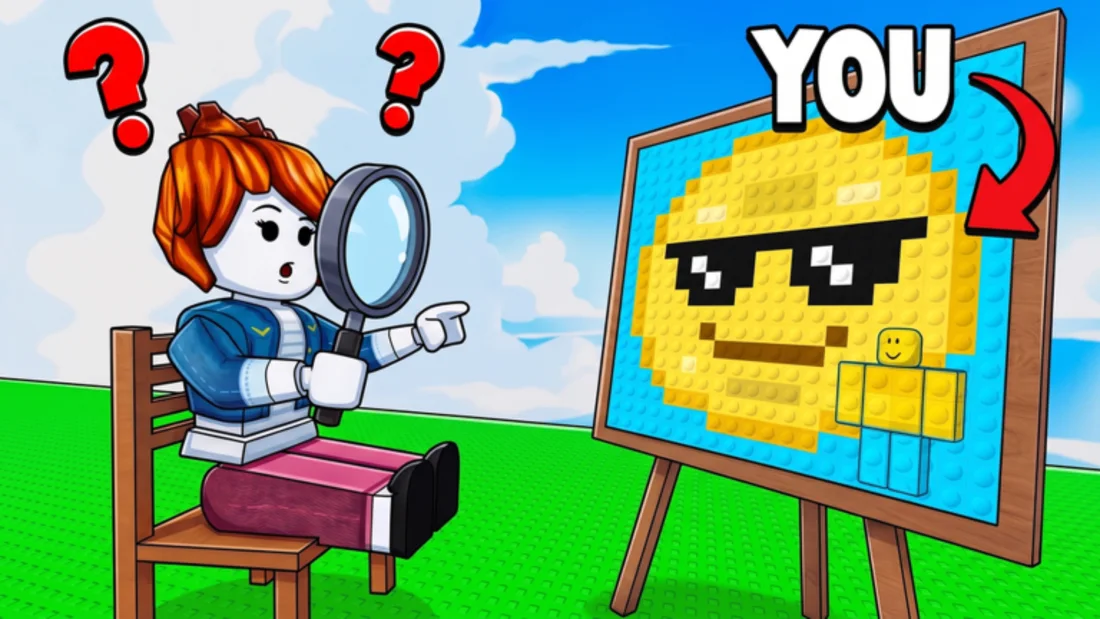
A seeker does not see the whole painting at once. They see movement first, then a silhouette, then color. That order is why a player with a mediocre color match can survive longer than a player with a perfect palette but a hard outline. If your head, shoulders, and feet create a shape the painting does not contain, the seeker will notice the shape before they notice the color.
The fix is to paint from the outside in. Start with the blocks that touch the background around your chosen spot. If the painting has a large green field and a dark character in the middle, painting your whole body green is not enough. You need the dark blocks that cross your shoulders and the lighter blocks that break up your legs. The goal is not to become the painting. The goal is to remove the lines that tell the seeker where your character ends.
This is also why busy paintings are easier than clean ones. A painting with lots of small color changes gives you more places to hide a block that is slightly off. A flat sky leaves a badly placed block with nowhere to hide. When you get a simple painting, spend more time on placement and less time on detail.
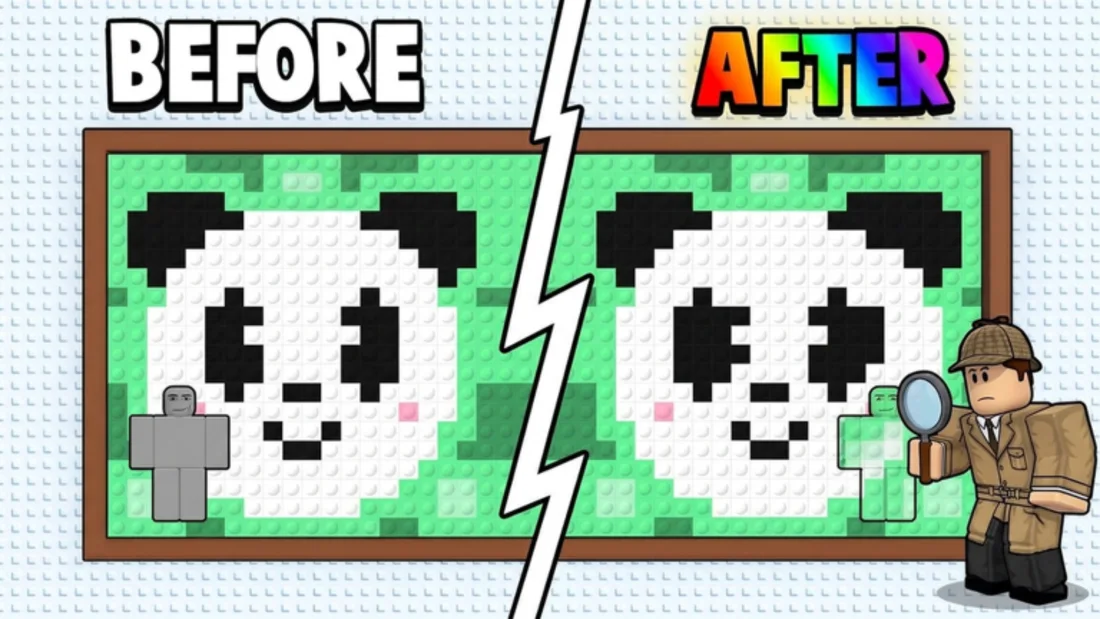
The first mistake is painting a character instead of painting a background. New players often copy the most interesting part of the painting, then stand in front of a completely different color. The result looks like a sticker placed on a photograph. Before you paint a single block, decide where you will stand. The spot should have a color pattern that your body can continue, not a pattern you have to fight.
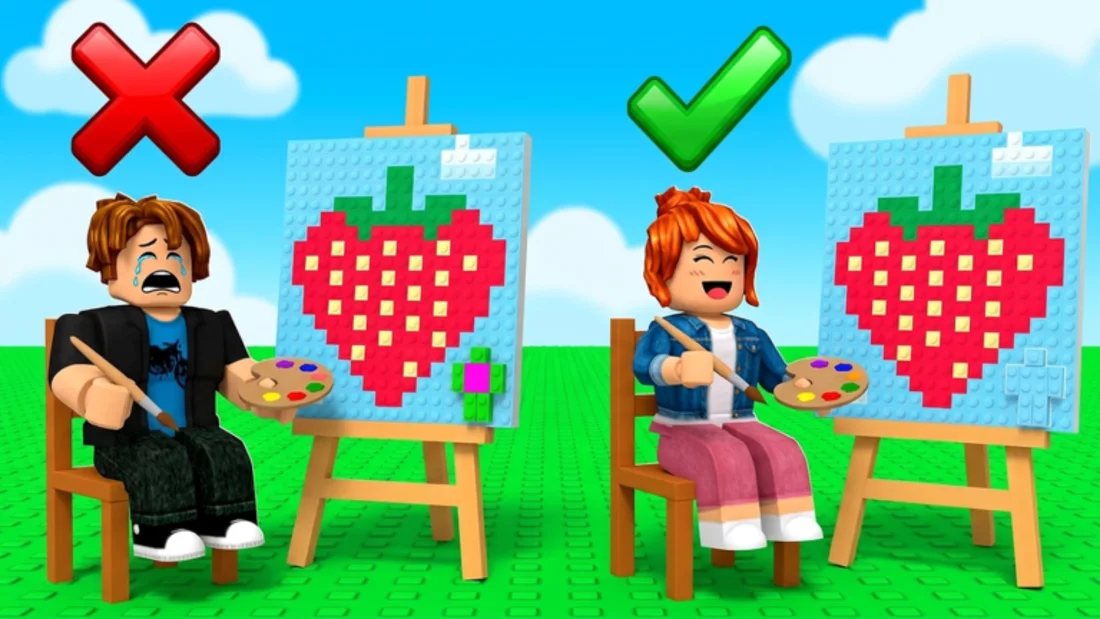
The second mistake is moving after the freeze. A seeker who is unsure about a shape will often walk past it once, then turn around. If you reposition during that turn, you confirm the suspicion. The last few seconds are better spent committing to the spot you have than trying to improve it. If you truly cannot match the area, pick a darker corner, reduce your visible outline, and let the seeker's time run out.
A third, quieter mistake is over-painting. Every extra block is another chance to introduce a color that does not appear in the painting. Once the large shapes match, stop. The best hiding characters are usually the ones with fewer, larger blocks, not the ones with the most detail.
Hide In Pixels gives players a small set of disruption tools: jumpscares, flash bangs, and screen shakes. They are most effective when the seeker is already close and committed to a direction. A flash bang at the wrong moment is just a loud distraction; a screen shake while the seeker is checking a row of paintings can buy you the second you need to stay still.
The mistake is treating these items as an escape button. If your blend is poor, no amount of screen shake will make the seeker forget the shape they already saw. Use the items to protect a good hiding spot, not to rescue a bad one. The troll item guide covers the timing in more detail, including when to hold the item and when using it early is actually the right call.
The game runs on PC, console, and mobile. PC players have the most precise painting control because a mouse can place blocks one at a time without fighting a cursor. Console players can paint, but the controller makes small adjustments slower, so the practical advice is to use larger blocks and fewer colors. Mobile players have the same trade-off with touch input: simple patterns finish, detailed patterns do not.
If you are learning on console or mobile, use a private server for your first few rounds. The free private server option lets you practice the palette and the freeze timing without another player watching every mistake. Once you can finish a recognizable blend in the time limit, move back into public matches. The controls page covers the platform differences in more detail without pretending there is one universal keybind for every device.
This site focuses on the parts of Hide In Pixels that players actually search for: how to play, how to blend, how to win a duel, what the troll items do, how the badges work, and what the Hide in Paintings name means. The pages are written from the official Roblox description, the public game data, and creator footage that shows the game in motion.
We do not publish a fake painting list, invented codes, or exact stat tables that the game has not shown. If a detail is uncertain, the page says so. That policy is slower than copying a wiki, but it means the advice you read here is based on something you can check. The sources page lists the official game page, creator videos used for observation, and the community guides worth comparing.
Both names point to the same experience. Hide In Pixels is the official title on Roblox. Hide in Paintings is the phrase many creators use because it describes the mechanic in plain English. Search results mix the two, and some videos use one name in the title and the other in the description.
There is also a separate Roblox game called Hide and Paint, which has its own codes, maps, and progression. If a guide mentions codes for Hide and Paint, it is not talking about Hide In Pixels. Check the place ID on the official page before you follow a code list or a control scheme. The Hide in Paintings page explains the naming confusion in more detail.
If you are losing rounds, the fix is usually one of three things: the paint, the spot, or the last ten seconds. Pick the page that matches.
New player
The first five matches in order, from reading the painting to freezing without moving.
Core skill
A three-color base, the outline pass, and the visual mistakes that make a character obvious.
Reference
Flat, busy, and subject-heavy compositions, and how each one changes the hiding problem.
Disruption
Jumpscares, flash bangs, and screen shakes: what they interrupt and when to save them.
Status
No public code verified. Check what was reviewed and why copied lists keep appearing.
Freshness
A dated log of game updates, creator coverage, and the pages that changed as a result.
Start with the round structure, then fix the part that keeps costing you: the paint, the placement, or the last ten seconds.
First session
The first five matches, in order: finish the paint, pick a matching spot, and stop moving.
Core skill
Blending is shape first and color second. Here is the order that makes a character read as part of the painting.
Round strategy
Winning is less about a secret spot and more about a repeatable round plan you can adjust after the first duel.
Disruption
The three disruption tools are timing weapons. Used late, they protect a good blend; used early, they waste the round.
Consistency
A streak is not a hot hand. It is a routine you can repeat when the paintings change.
Practice
A private server is the fastest way to learn the paint phase without a stranger watching every mistake.
Platforms
The game runs on PC, console, and mobile. The platform changes how precisely you can paint, not what the round asks you to do.
Reference pages for the painting system, blending, troll items, badges, and the names players use for the game.
Hide In Pixels Paintings
Every round is a new painting. The composition decides where a character can hide, not the palette.
Hide In Pixels Blending and Color Matching
Blending is the act of removing the visual cues that say "player" instead of "part of the painting."
Hide In Pixels Troll Items
Three disruption tools, three different jobs. This page is the reference; the guide covers when to press the button.
Hide In Pixels Badges and Win Streak
Two public badges, one streak counter, and no published reward table. Here is what the game actually shows.
Mecca Chameleon vs Hide In Pixels
Hide In Pixels is openly inspired by Mecca Chameleon. The loop is similar; the handling of rounds and hiding is not identical.
Hide in Paintings: The Other Name for Hide In Pixels
Hide in Paintings is not a separate game. It is the phrase players use for Hide In Pixels, and it is easy to confuse with Hide and Paint.
Hide In Pixels Private Servers
Free private servers turn a public duel into a repeatable practice room. The round rules do not change.
No public code has been verified. Here is what the game actually rewards and why copied lists keep appearing.
Last checked
At the last check, no active Hide In Pixels code was confirmed by the official game page, the developer, or an in-game redemption flow. The game's rewards are tied to playing rounds, earning badges, and building a win streak, not to redeem codes. Treat any list that promises free cash, VIP, or items as unconfirmed until the developer posts it.
Start with the habit that changes every round, then add disruption when the blend is already good.
Paint the blocks that touch the background before the interior. It is the single change that fixes the most failed blends.
The strongest disruption when the seeker is close but not yet locked on. Used early, it is a wasted item; used late, it can break a close inspection.
A dominant background color, a dark edge color, and a light accent cover most hiding spots without eating the timer.
See what changed and which guides have been reviewed.
The Roblox game page still shows the 2026-10-21 00:03 update, the same two badges (Welcome! and WINNER!), and no game passes. No new YouTube upload appeared in the previous 48 hours; the most recent Hide In Pixels video is three days old and sits around 58,000 views. TikTok coverage did expand: new Portuguese- and Spanish-language clips appeared under #hideinpixels, including creators lab.kids, Brunecraft, Mayki, and JUAMPA. None of the clips describes a new game build, so the guides were not changed.
The first version of Hide In Pixels Wiki covers the round structure, blending, troll items, badges, private servers, controls, and the Hide in Paintings name variant. The codes page was checked and no public code was verified. The official game page lists the experience as a 1v1 duel with jumpscares, flash bangs, screen shakes, free private servers, and PC, console, and mobile support.
The Roblox game page recorded an update on 2026-10-21. The public description still describes the same core loop: paint your character to match a pixel painting, freeze, and avoid the seeker. No new code field or game pass appeared in the public data. The paintings and troll items pages were reviewed after the update.
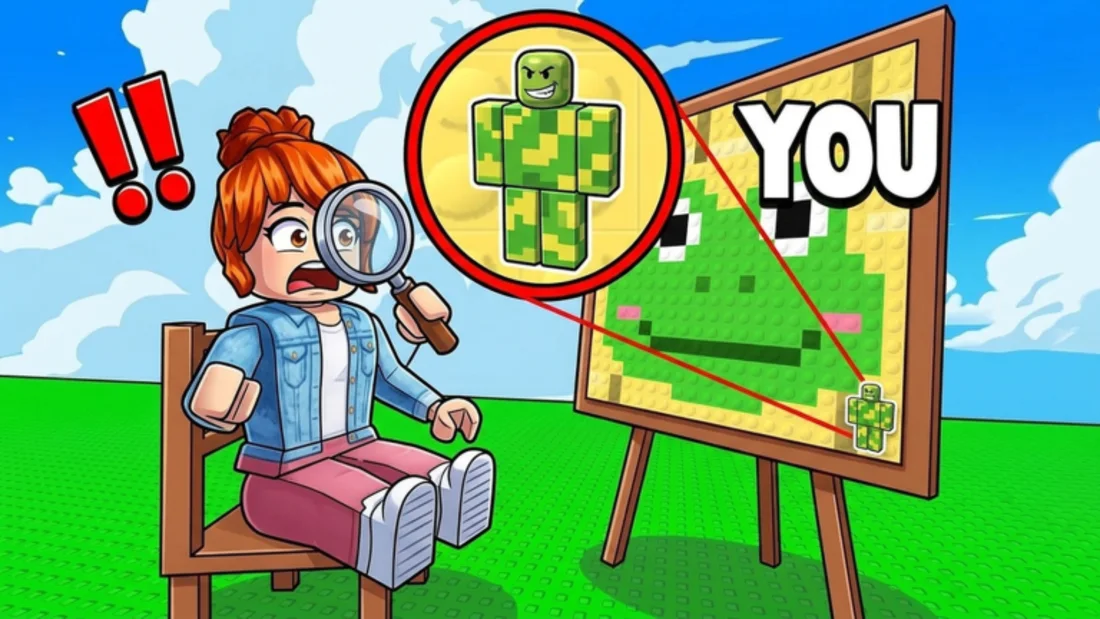
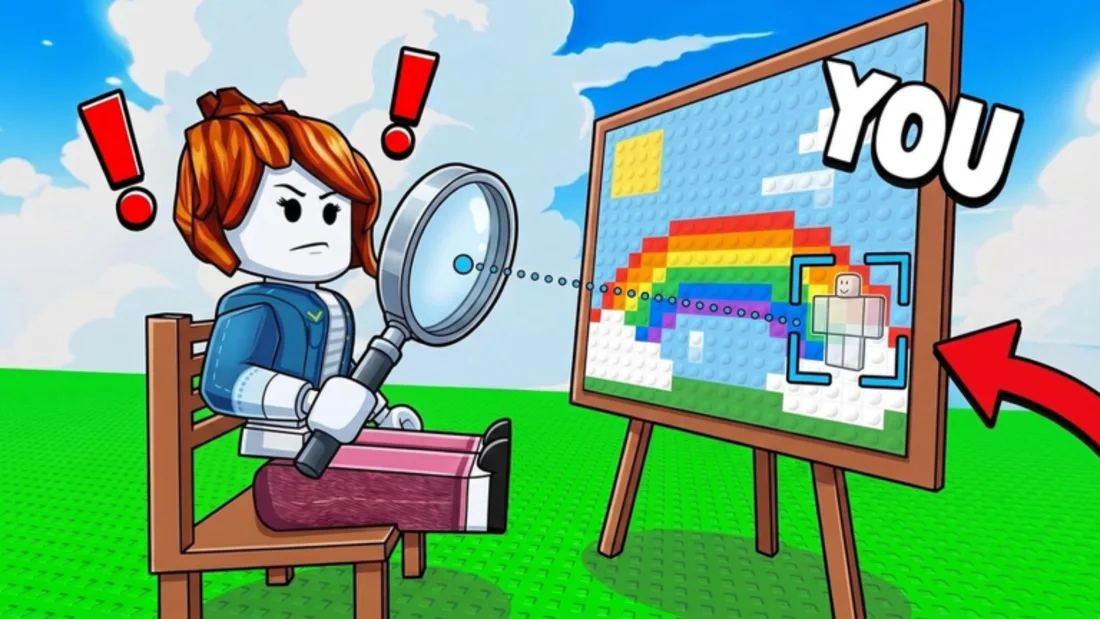
Official screenshots from the Roblox experience page.
FAQ
The questions that come up before and after a first match.
Hide In Pixels is a Roblox party game built around a 1v1 hiding duel. Each round gives both players the same pixel-art painting. You paint your block character to match the painting, freeze in place, and hope the seeker walks past you. The first player to win two rounds takes the match.
Many videos use Hide in Paintings as a descriptive title for Hide In Pixels. The official Roblox experience is called Hide In Pixels. Hide and Paint is a different Roblox game with its own codes and maps, so check the place ID before following a guide.
No public code has been verified at the time of writing. The game has no game passes listed, and the official description does not mention a code system. Treat any code list that promises free cash or VIP as unconfirmed until the developer posts it.
The experience supports up to 20 players in a server, but the core round is a head-to-head duel. You can also open a free private server when you want a quieter practice space or a match with friends.
Yes. The official description lists PC, console, and mobile support. Painting is more precise with a mouse, while controller and touch players usually need a simpler block pattern and more time on the edges.
The game lists jumpscares, flash bangs, and screen shakes. They are disruption tools, not direct attacks. Used late in the seek phase, they can break the seeker's rhythm; used too early, they waste the seconds you need to settle into a hiding spot.
Yes. The game tracks a win streak, and the two public badges are Welcome! and WINNER!. The streak is a consistency measure rather than a separate game mode, so the safest way to build one is to keep your painting routine repeatable.
Read the beginner guide, then play one private-server round with the sole goal of finishing your paint before the timer. Once painting stops feeling rushed, work on blending and hiding spots. Troll items come last.
Every page on this site is built from a small set of sources: the official Roblox game page, the public game data, creator footage that shows the game in motion, and a few community guides that are clearly labelled as community work. This page lists them so you can check the claims yourself.
Official
The source of record for the title, creator, description, platform support, and live availability.
Official
The developer group behind Hide In Pixels. Use the group page to check creator-owned announcements.
Community
A 476k-subscriber creator whose Hide In Paintings video passed 170k views. Useful for seeing the paint and freeze phases in motion.
Community
A smaller channel whose Hide in Paintings video passed 78k views. The title uses the descriptive name rather than the official one.
Community
A 446k-subscriber channel that covered the game concept without using the name in the video title. A useful reminder that discovery is creator-led.
Community
A Russian-language creator whose Hide In Pixels clip collected more than 9,700 likes and 4,900 shares.
Community
Two short how-to articles that cover the basic round. Community work, not an official source.
Community
A community page describing a round of Hide In Pixels. Useful as a second opinion on the basic flow.
The game title, creator, platform list, 1v1 duel, best-of-three format, troll items, free private servers, and the Mecca Chameleon inspiration note all come from the official Roblox description. Those claims do not depend on a creator video.
The four-player mode, console painting difficulty, and creator tutorial topics come from footage and video titles. They are useful context, but they are not treated as official patch notes. The pages say when a detail is observed rather than confirmed.
The game does not publish exact item durations, painting counts, or streak rewards in its description. This site does not fill those gaps with guesses. If a number is not official or observed, the page says so.
Hide In Pixels, Hide in Paintings, and Hide and Paint are not the same thing. Hide in Paintings is a descriptive name for the Vyxen experience; Hide and Paint is a separate Roblox game. The sources page keeps that distinction visible.
A creator video is used to observe what the game looks like in motion: the palette, the way a player paints a block pattern, the freeze, and the seeker's route. It is not used to claim a hidden stat, a code, or an update date. When a detail comes only from a video, the page says so and names the source.
Community guides are read for comparison, not copied. If two community guides agree on a basic fact, that agreement is useful, but it does not make the fact official. The site still checks the game page first and labels the community source as a second opinion.
The site does not source scripts, cheats, account trades, or code lists that cannot be tied to the official game. Those pages exist elsewhere, but they are not part of this wiki's evidence model. A guide that depends on a cheat is not a guide to the game's actual hiding mechanic.
An update is a change visible on the public game page, in the public game data, or in a creator video that shows a different build. A new video about the same build is coverage, not an update. The updates page separates the two so readers can tell when the game changed and when the site simply reviewed it again.
The official description presents the core duel as a head-to-head match. A creator short shows a four-player version of the same paint, freeze, and hide loop. That is enough to mention the variant, but not enough to claim it is a permanent mode. The label keeps the observation honest without ignoring it.
The official description is unusually clear about the round structure and the item names, but it does not publish painting counts, item durations, code existence, or streak rewards. Those gaps are recorded as open questions rather than filled with a number from a video. A creator can show what a round looks like, but a creator video is not a patch note.
Pages about verified mechanics are longer because there is more to explain. Pages about unverified details are shorter because the honest answer is short. The codes page is the clearest example: the useful information is that no public code was verified, plus the steps for checking a future one. Padding that page with invented codes would make it longer and less true. The same choice appears on the paintings page, where a made-up catalog would add length but not accuracy.
When a creator video or a community guide supports a claim, the site links to it instead of copying the text. That keeps the original context visible and lets a reader check the timestamp. It also makes the site's own wording easier to audit: if a sentence is not supported by the linked source, the link is the first place to look.
Videos can be deleted, channels can rename, and game pages can change. When a source disappears, the page keeps the claim only if another source supports it. If no source remains, the claim is removed or marked as unverified. A dead link is not evidence.
Creator videos are used to observe the game in motion: the palette, the freeze, the seeker's route, and the way players blend. They are supporting references, not official documentation.
YouTube
A 170k-view video from a 476k-subscriber channel. Uses the descriptive name in the title.
YouTube
A 78k-view video from a smaller channel. Useful for the painting palette and the freeze phase.
YouTube Short
A short clip showing a four-player variant with the same paint, freeze, and hide loop.
TikTok
A Thai-language clip with more than 5,000 likes, showing a round on the pixel map.